
Nov 9, 2022
How to use a custom Java distribution on Gitpod
 Maciej Walkowiak
The default Gitpod workspace-full image comes with preinstalled Java development tools like SDKMan, Maven and Gradle.
When you execute java --version in the terminal, you’ll find out that the current Java version is Java 11 (at the time of writing this blog post).
Since SDKMan is installed, you can easily switch to a different Java version with:

 language:
 sdk install java 17.0.4.1-temBut this change will be reflected only in your current workspace. If someone else opens the Gitpod workspace for the same Gitpod repository or if you recreate the workspace, Java will be back to 11, and the version you installed with SDKMan will be gone.
There are at least two ways to configure the Java version for each new Gitpod workspace.
Set Java version with .gitpod.yml
Gitpod workspaces can be configured with .gitpod.yml. We can specify startup task(s) that will execute shell commands for us:
language: tasks:
- before: sdk install java 17.0.4.1-temThis is almost good. The problem is that sdk install prompts the user to set the installed version as a default. There’s no flag to run the command in non-interactive mode, but there is a hacky workaround:
language: tasks:
- before: sdk install java 17.0.4.1-tem < /dev/nullThe drawback is that this command takes some time to run and is executed every time the workspace is created.
Instead, we can create a custom workspace image that will be built only once.
Set Java version with workspace image
Gitpod gives an option to use a custom Docker image on which the workspace runs. Let’s create one that uses Java 17 by default:
Remove the before task from .gitpod.yml and instead set the image.file property to .gitpod.Dockerfile.
language: image:
file: .gitpod.DockerfileNext, create a file .gitpod.Dockerfile. If you are happy with the default Gitpod workspace image, you can use it as a base.
language: FROM gitpod/workspace-full:2022-10-25-06-57-58
SHELL ["/bin/bash", "-c"]
RUN source "/home/gitpod/.sdkman/bin/sdkman-init.sh" \
&& sdk install java 17.0.4.1-tem < /dev/nullLet’s break it down:
- It is recommended to use a specific Docker image tag for a base image. Go to https://hub.docker.com/r/gitpod/workspace-full and look for the latest tag, then use it in FROM command in the Dockerfile.
- Change shell to bash, source SDKMan init so that
sdkcommand becomes available, and runsdk installlike we previously did in the.gitpod.yml:
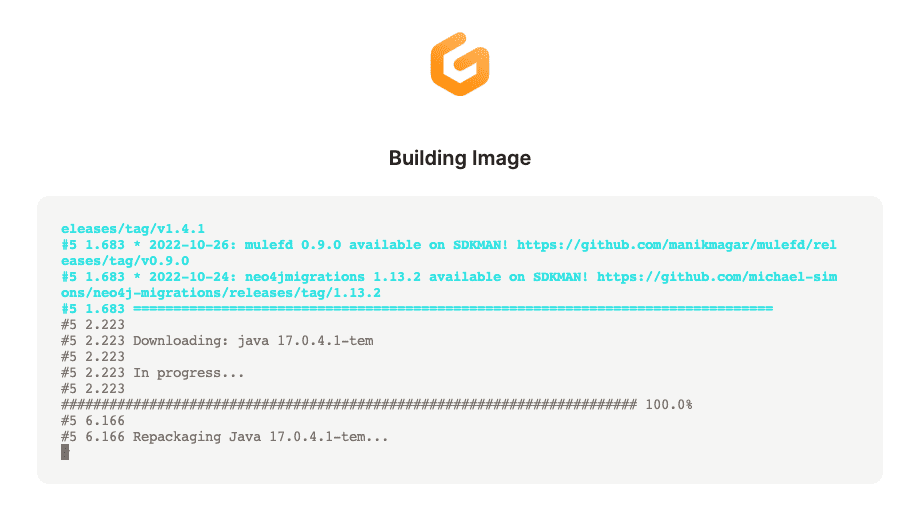
Then, when you create a new repository with these files, only on the first run, Gitpod builds an image:
.. and once the workspace is ready:
language: java --versionExample output:
language: Picked up JAVA_TOOL_OPTIONS: -Xmx3489m
openjdk 17.0.4.1 2022-08-12
OpenJDK Runtime Environment Temurin-17.0.4.1+1 (build 17.0.4.1+1)
OpenJDK 64-Bit Server VM Temurin-17.0.4.1+1 (build 17.0.4.1+1, mixed mode, sharing)Use a JDK that is unavailable in SDKman
What if the JDK we want to use is not available in SDKMan? Since we are using a Dockerfile, we can write shell scripts.
As an example, let’s use JetBrains distribution of the OpenJDK.
Use the following .gitpod.Dockerfile contents:
language: FROM gitpod/workspace-full:2022-10-25-06-57-58
SHELL ["/bin/bash", "-c"]
RUN wget https://cache-redirector.jetbrains.com/intellij-jbr/jbr-17.0.4.1-linux-x64-b653.1.tar.gz
RUN sudo tar zxf jbr-17.0.4.1-linux-x64-b653.1.tar.gz --directory /opt/
RUN echo 'export JAVA_HOME=/opt/jbr-17.0.4.1-linux-x64-b653.1/' >> /home/gitpod/.bashrc \
&& echo 'export PATH=/opt/jbr-17.0.4.1-linux-x64-b653.1/bin:$PATH' >> /home/gitpod/.bashrcLet’s break it down:
- Download JetBrains Runtime release from https://github.com/JetBrains/JetBrainsRuntime/releases/
- Unpack it and move to
/opt/
Now, two important points:
export JAVA_HOMEis effectively overwriting the one set by SDKMan- Add JDK bin directory to
$PATH. It is important to put it before what’s already been there so that the new JDK bin is before the SDKMan path.
Finally, use .gitpod.Dockerfile from your .gitpod.yml:
language: image:
file: .gitpod.DockerfileAnd follow see it in action!
Once you recreate the workspace, and the new image is built:
language: java --versionExample output:
language: Picked up JAVA_TOOL_OPTIONS: -Xmx3489m
openjdk 17.0.4.1 2022-08-12
OpenJDK Runtime Environment JBR-17.0.4.1+1-653.1-nomod (build 17.0.4.1+1-b653.1)
OpenJDK 64-Bit Server VM JBR-17.0.4.1+1-653.1-nomod (build 17.0.4.1+1-b653.1, mixed mode)That’s all folks!
Share this post


